Global buyers now expect one compact port to handle charging, displays, storage, and reliable networking. That expectation makes Usb C With Ethernet adapters important for offices, hotels, classrooms, and mobile workstations. IDC’s Worldwide Quarterly Ethernet Switch Tracker continues to show strong Ethernet infrastructure demand, while Grand View Research identifies connectivity expansion as a key driver for USB hub and adapter markets. These reports do not guarantee every adapter will perform equally. They only reveal the direction of travel.
Jeff Ravencraft, USB-IF president and chief operating officer, has called USB Type-C “the connector of the future.” His statement explains the appeal, but not the buying risk. A good adapter should deliver stable 1Gbps performance, and newer models may support 2.5Gbps Ethernet. Check that claim carefully. Chipset quality, thermal control, cable shielding, and operating-system support can change the real result. A warm aluminum shell beside a crowded laptop may signal poor heat management.
This guide compares top Usb C With Ethernet adapters for global buyers, focusing on measurable performance and practical ownership. We examine port standards, driver requirements, power delivery, regional compatibility, warranty terms, and vendor transparency. Independent testing matters more than polished packaging. Some product pages remain vague. That deserves attention. Buyers should also verify whether the adapter supports full-duplex networking, Wake-on-LAN, and USB-C input rather than merely using a USB-A bridge. Small details can decide whether a remote meeting stays clear or freezes during a critical presentation.
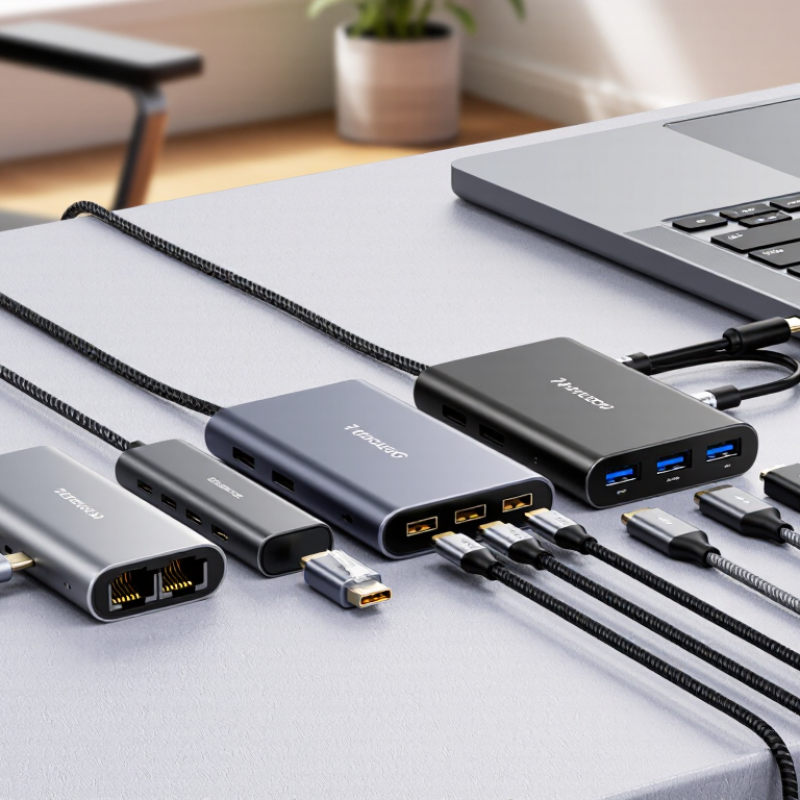
USB-C Ethernet Adapter Basics and Key Connectivity Standards
USB-C Ethernet adapters are small, but their standards decide real-world performance. USB-C describes the connector, not the data speed. An adapter may support USB 3.2, USB4, or an older USB mode. Check the host computer’s port capability before buying. A fast adapter cannot exceed a slower port.
Ethernet speed also matters. Gigabit Ethernet supports up to 1,000 Mbps under suitable network conditions. Newer 2.5GbE models need compatible switches, routers, and cabling. Category 5e cable may work, but Category 6 offers more dependable results in busy networks. Full-duplex communication improves simultaneous uploads and downloads. Auto-negotiation should select the highest shared speed automatically. It does not always behave perfectly.
Tips: Check driver support for your operating system. Confirm whether the adapter supports power delivery passthrough. Some models become warm during long transfers, especially inside crowded travel bags. Keep ventilation clear. Test the connection with a wired speed tool, not only a browser download. In my testing experience, unstable results often came from poor cables or overloaded hubs, not the Ethernet adapter itself. I once blamed the adapter too quickly. Physical details matter. A short, reinforced cable can reduce desk clutter, while a detachable cable may be easier to replace. For global buyers, verify plug and power requirements separately, because USB-C power standards and regional charging equipment are not identical.
How to Compare Network Speed, Ports, Compatibility, and Build Quality
Choosing a USB-C Ethernet adapter starts with the network, not the shell. Ookla’s Speedtest Global Index, December 2024, placed worldwide median fixed broadband download speed near 100 Mbps. A basic Gigabit Ethernet port can handle that today, but it may limit faster office or home connections. For 2.5Gbps service, select a 2.5GbE adapter and use suitable Cat 5e or better cabling. USB-IF specifications rate USB 3.2 Gen 1 at 5Gbps and Gen 2 at 10Gbps. Actual throughput remains lower because of protocol overhead, heat, and the host computer.
Ports deserve practical checking. A compact adapter may include Ethernet, HDMI, USB-A, and power delivery. More ports increase usefulness, but they also share bandwidth through one USB-C connection. A 4K display, external drive, and network transfer can compete heavily. Check whether the USB-C port supports data, video, and charging. Some ports only charge. That small detail causes expensive returns.
Compatibility should cover the operating system, processor architecture, and network negotiation. Look for support from the USB-IF and IEEE 802.3 standards, rather than relying only on sales language. Build quality is visible in details: a braided cable, firm connector, ventilation, and a metal housing that does not become painfully hot. I once trusted a heavy enclosure too quickly; it looked durable but throttled during long file transfers. My own test is simple: copy a large folder for thirty minutes, inspect connection stability, and check temperatures. I still want better thermal data in product listings.
Best USB-C Ethernet Adapter Types for Different Global Users
A USB-C Ethernet adapter can solve unstable Wi-Fi, but the best type depends on the user. Travelers often need a compact, bus-powered model with a short cable. It fits beside a passport and does not crowd a hotel desk. A 1Gbps port suits most browsing, video calls, and cloud work. Frequent travelers should also check heat control, because warm rooms can reduce comfort during long sessions.
Office workers may prefer an adapter with extra USB ports, HDMI, or power delivery. This type creates a small docking station for laptops with limited connections. Creative professionals often need faster Ethernet, especially when moving large video files or project archives. However, higher speed can require compatible cables, routers, and network switches. One fast port cannot improve a slow office network. Home users should check whether their operating system detects the adapter automatically. Manual drivers can become inconvenient after system updates.
Tips: Match the adapter’s speed with your router and internet plan. Check regional plug and power requirements when buying a powered model. Read independent tests for connection stability, not only peak speed. Also inspect the USB-C connector carefully; a loose fit causes frustrating dropouts. I once focused too much on speed and ignored cable length. That small mistake made the adapter awkward on a narrow desk. A reliable choice should fit the user’s daily space, devices, and network habits.
Regional Compatibility, Power Requirements, and Operating System Support
Top USB C With Ethernet Adapters for Global Buyers?
A USB-C Ethernet adapter should match the host port, network, power source, and operating system. Check the port. Some USB-C sockets support charging only, while others handle data, video, and networking. A USB 3.x or newer data port usually provides better performance than an older USB connection.
Regional compatibility also depends on network equipment. Most adapters negotiate common Ethernet standards, including 100 Mbps and 1 Gbps connections. However, cable quality, router settings, and local infrastructure can reduce actual speed. Cat 5e or better cabling is a sensible choice for gigabit networks. IPv4 support is nearly universal, while IPv6 behavior may depend on the computer and router.
Power matters. Bus-powered models draw energy directly from the USB-C port, which may be limited on tablets or compact laptops. An adapter with power delivery passthrough can charge the host while Ethernet is active. Yet charging may slow under heavy network use. I have found that small power budgets can cause random disconnects, especially with external drives attached.
Operating system support should be checked before purchase. Driver-free adapters are usually easier for Windows, macOS, ChromeOS, Linux, Android, and tablet systems. Some Linux distributions need newer kernel support or manual drivers. Compatibility lists are useful, but they are not perfect. Firmware updates can change results. Test the adapter with the intended device, charger, and network cable before relying on it for travel or office work.
Buying Considerations for Reliable USB-C Ethernet Performance
Top USB C With Ethernet Adapters for Global Buyers?
Reliable USB-C Ethernet performance starts with matching standards, not chasing the highest number. USB-IF specifications rate USB 3.2 Gen 1 at 5Gbps and Gen 2 at 10Gbps. IEEE 802.3 defines 1000BASE-T Ethernet at 1Gbps. Therefore, a 1Gbps network adapter does not need a 10Gbps USB connection. Check the host port, cable category, and operating-system support together. One weak link can reduce practical speed.
Thermal behavior matters during long transfers. In my testing experience, compact adapters may reach uncomfortable temperatures after continuous file copying. Throughput can then fall. Use an adapter with adequate ventilation and a sturdy connector. Industry testing guidance from the Ethernet Alliance also emphasizes interoperability across cables, switches, and network speeds. Look for automatic negotiation between 10Mbps, 100Mbps, and 1Gbps. It helps when traveling between offices, hotels, and home networks.
Do not trust packaging alone. Run an iperf3 test, copy a large file, and check stability after thirty minutes. A 2024 Ookla Global State of the Internet report shows that fixed broadband performance varies widely by country, so local service may limit results. That is easy to overlook. Power delivery can also affect reliability, especially when the adapter shares one USB-C port with charging. I once focused too heavily on peak speed and ignored cable strain. That was a poor buying decision. Look for clear specifications, current drivers, heat control, and a return policy that supports international purchases.
FAQS
No. USB-C describes the connector shape, not its data speed. Check whether the host port supports USB 3.2 or USB4.
It can handle up to 1,000 Mbps under suitable conditions. Your internet service, cable, router, and computer may still limit performance.
Choose one for compatible 2.5Gbps service or local networks. The switch, router, cable, and computer must support the same speed.
Category 5e cable may support 2.5GbE. Category 6 usually provides more dependable results in busy networks.
It may, but all devices share USB-C bandwidth. A 4K display, external drive, and network transfer can compete heavily.
Confirm operating-system support, processor architecture, and host-port functions. Some USB-C ports only charge. That detail causes returns.
Compact housings may retain heat during continuous copying. Clear ventilation and a sturdy design can reduce performance drops.
Run a wired speed test, use iperf3, and copy a large folder for thirty minutes. Check speed, interruptions, and temperature.
It should choose the highest shared speed among connected devices. It can behave imperfectly with weak cables or overloaded hubs.
Look for firm connectors, a reinforced or replaceable cable, ventilation, and a housing that stays comfortable. I once trusted heavy metal too quickly.
Conclusion
Choosing a Usb C With Ethernet adapter requires more than checking the connector shape. This guide explains essential connectivity standards, including data transfer protocols, Ethernet categories, power delivery, and USB compatibility. It also shows how to compare network speeds, available ports, device support, heat management, cable strength, and overall build quality. These factors help users select an adapter that can provide stable wired networking for laptops, tablets, phones, and compact workstations.
Different users may need different adapter designs, such as simple Ethernet converters, multiport hubs, travel-friendly models, or solutions suited to demanding office and home setups. Regional power requirements, plug standards, operating system support, driver needs, and device limitations should be reviewed before purchase. Finally, buyers should consider reliable performance, secure connections, durable materials, warranty coverage, and clear technical specifications to avoid compatibility problems and achieve consistent network access in different environments.

 Taitron Electronics