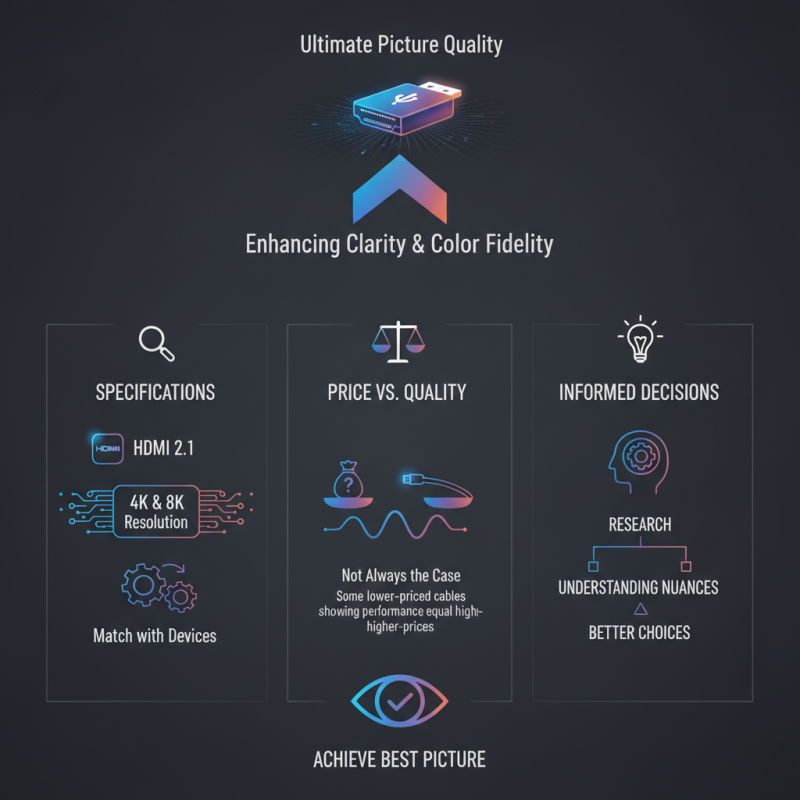
When it comes to achieving the ultimate picture quality, selecting the Best HDMI Cable is crucial. A high-quality HDMI cable can significantly impact your viewing experience, enhancing clarity and color fidelity. However, many consumers face the challenge of choosing the right cable from a myriad of options available in the market. The differences between cables may seem subtle, but they can lead to noticeable disparities in performance.
Consider the specifications. Look for cables that support the latest standards, such as HDMI 2.1. These cables deliver higher bandwidth and support advanced features like 4K and 8K resolution. It’s essential to match your cable choice with your devices to maximize performance. While price may suggest quality, it is not always the case; cheaper cables can sometimes perform just as well as premium ones.
Remember, it’s not just about buying technology. Understanding the nuances of HDMI cables helps in making informed decisions. Reflecting on personal experiences can reveal flaws in past selections, guiding future purchases. Ultimately, investing time in research and understanding specifications will lead to better choices, helping you achieve the best possible picture quality.
When choosing an HDMI cable, understanding the types and specifications is crucial for optimal picture quality. HDMI cables come in several categories: Standard, High Speed, Premium High Speed, and Ultra High Speed. Standard cables suffice for basic connections, but High Speed is often necessary for HD content. If you're streaming 4K or higher resolutions, the Ultra High Speed cable is essential. This type supports higher bandwidth and ensures that you fully experience your device's capabilities.
Pay attention to specifications like bandwidth. Standard cables support up to 1080p, while Ultra High Speed cables handle 8K and beyond. Additionally, check for features like Ethernet support, which allows for network connectivity through the cable. Not all cables are equal; some may not meet the expected standards, leading to lagging performance. It's easy to make mistakes here. A low-quality cable can diminish your viewing experience.
Don't overlook cable length either. Longer cables may introduce signal degradation, impacting picture clarity. A 2-meter cable is often sufficient for most setups. Experimenting with different cables may yield varying results based on your equipment and environment. Seeking expert advice can help, but always consider your unique needs and settings. Quality should never be compromised for cost.
This bar chart illustrates the bandwidth capabilities of various HDMI cable types, showcasing how they differ in their ability to transmit data. Higher bandwidth allows for better picture quality, high resolution, and advanced features in audio-visual setups.
When considering HDMI cables, various factors determine performance. One crucial element is cable construction. A well-made HDMI cable uses quality materials, improving signal integrity. Look for cables with gold-plated connectors. They provide better resistance to corrosion and enhance connectivity. The thickness of the cable also matters. A thicker cable often has better shielding, reducing interference from external sources.
Another important factor is the version of HDMI. Different versions support varying features and resolutions. For example, HDMI 2.0 supports 4K at 60Hz, while HDMI 2.1 offers 8K capabilities. Ensure your cable matches the specifications of your devices. Additionally, cable length plays a role. Longer cables can experience signal degradation. If you need a long run, consider active HDMI cables for better performance.
Your viewing environment can impact picture quality. Factors like lighting or distance from the display can affect your experience. It's essential to test the setup in different conditions. Sometimes, a cheaper cable can outperform a premium one, depending on your setup. Don’t overlook this possibility when making your choice. The search for the best HDMI cable can be complex, but understanding these factors is key.
When considering HDMI cables, cable length plays a critical role in picture quality. Shorter cables typically enhance signal integrity. According to a report from the Consumer Technology Association, a cable length of under six feet maximizes performance in most home setups. As the distance increases, signal degradation becomes noticeable, especially for high-resolution setups like 4K and 8K.
For lengths exceeding 15 feet, a noticeable drop in picture clarity might occur. Signal loss can manifest as graininess or pixelation. Furthermore, longer cables are more susceptible to interference from other electronic devices. A study by CNET highlights that lengths beyond 25 feet may require active HDMI repeaters to maintain high quality. Investing in quality cables can mitigate these risks.
However, it's essential to be cautious. Some users believe overly long cables will work fine due to marketing claims. In reality, a longer cable is not always better. Extra length can introduce latency and affect color accuracy. Balancing the need for length with the potential for degradation is vital for optimal viewing experiences. Achieving crisp picture quality often requires careful consideration of cable length.
When selecting an HDMI cable, it's essential to understand the various features that impact picture quality. Consider the resolution support of the cable. For instance, cables labeled as “Ultra High Speed” can handle 4K at 120Hz and 8K at 60Hz, ensuring a clear viewing experience. According to the Consumer Technology Association, 4K televisions are expected to make up 80% of the market by 2024. Hence, choosing the right cable is more important than ever.
Another critical feature is HDR (High Dynamic Range) support. HDR enhances color contrast and provides a more dynamic image. Reports indicate that content with HDR can increase the perceived quality of visuals by up to 30%. Look for cables that explicitly mention HDR support for the best performance.
Tip: Always check the certification. A certified HDMI cable guarantees it meets industry standards.
Durability and cable length are also vital factors. A longer cable may lead to signal degradation. Studies show that signals can weaken by 7.5% every 30 feet, affecting overall quality.
Tip: If you require longer distances, consider using an HDMI extender.
Choosing the right HDMI cable requires understanding specific features. Keep these factors in mind to ensure an optimal viewing experience.
Choosing the right HDMI cable can significantly enhance your viewing experience. Many people overlook the importance of cable quality, yet it plays a crucial role in picture and sound clarity. According to a recent industry report, over 50% of consumers experience picture degradation due to using subpar cables. Understanding specifications is vital.
Look for cables that support HDMI 2.1. This version offers higher bandwidth, allowing for 8K video at 60Hz and 4K at 120Hz. Testing by the HDMI Forum indicates that cables rated for higher speeds reduce the chances of signal loss. Additionally, consider cable length; longer cables can weaken signals, particularly past 25 feet. A balanced choice ensures optimum performance without unnecessary loss.
Build quality matters too. Some cables come with braided exteriors, providing protection against wear and tear. However, it's essential to remember that price does not always equal quality. Sometimes, high-cost options do not perform better than budget-friendly choices. It's important to test and compare before purchase, ensuring you make a well-informed decision.
: Shorter cables usually enhance signal integrity. Longer cables can cause noticeable degradation, especially in high-resolution setups.
Cables under six feet maximize performance in most home setups, according to industry reports.
Lengths exceeding 15 feet may lead to a drop in picture clarity, resulting in graininess or pixelation.
Many users may feel overly long cables work well. In reality, they can introduce latency and affect color accuracy.
Resolve support is crucial. Look for cables that handle 4K at 120Hz and HDR for enhanced color and dynamic images.
Certified cables meet industry standards, ensuring optimal performance and reducing the risk of issues.
Durable cables maintain signal quality over time. Braided exteriors can protect against wear, enhancing longevity.
Signals can weaken by 7.5% every 30 feet, which can seriously affect overall picture quality.
Yes, for distances beyond 25 feet, extenders can help maintain high-quality signals more effectively.
Not always. Sometimes, affordable cables perform as well as high-end ones. Testing and comparing is essential.
When searching for the Best HDMI Cable to enhance your viewing experience, it's essential to understand the different types and specifications of HDMI cables available. Factors such as cable length and the specific features offered by each cable play a crucial role in ensuring optimal picture quality. Shorter cables typically perform better, while additional features like Ethernet capabilities can enhance functionality.
To choose the right HDMI cable for your devices, consider what you need—whether it's support for high resolutions, audio return channels, or other advanced specifications. By keeping these key factors in mind, you'll be well-equipped to make an informed decision and enjoy the best possible picture quality from your home entertainment system.

Taitron Electronics