Choosing the right display cable is crucial for optimal performance. The right cable enhances picture quality and ensures smooth connectivity. A poor choice leads to frustrating issues, such as flickering screens or lagging signals.
Display cables come in various types, including HDMI, DisplayPort, and VGA. Each serves specific needs based on device compatibility and usage. Understanding each type's capabilities can save time and money. A mismatched cable can alter the entire viewing experience, impacting productivity and enjoyment.
Be aware that not all cables are created equal. Some may have lower build quality, leading to short lifespans. Investing in a reliable display cable ensures longevity and dependable performance. Consideration of these aspects can greatly affect your satisfaction and efficiency when using your devices.
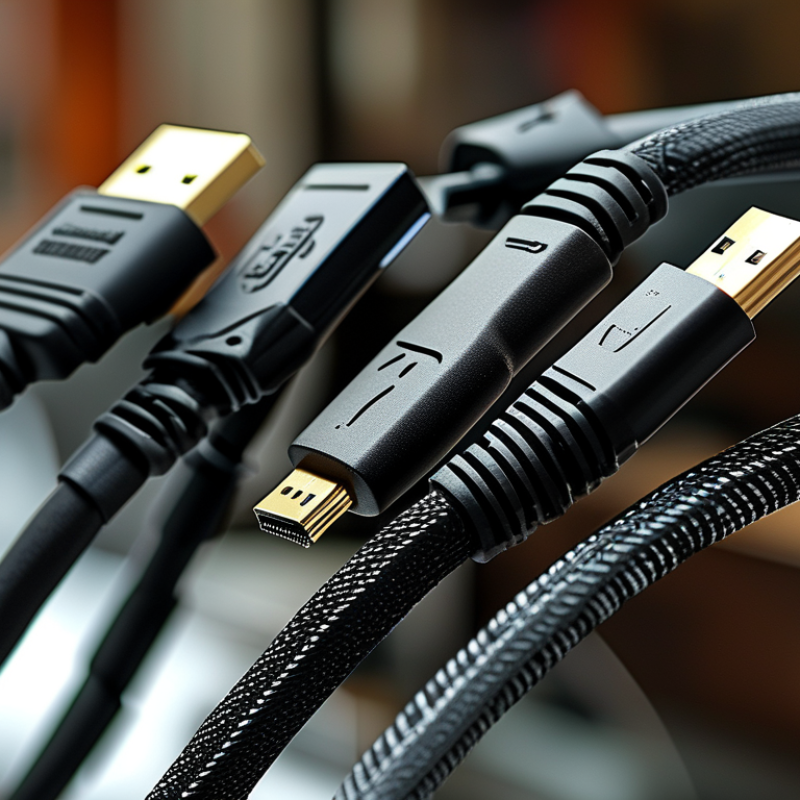
When selecting a display cable, understanding the various types is crucial.
HDMI, DisplayPort, VGA, and DVI are commonly used cables.
Each has its unique strengths and limitations. For instance,
HDMI supports both video and audio.
It's prevalent in home entertainment systems.
DisplayPort is favored for high-resolution monitors.
It offers superior bandwidth, which is vital for gaming.
VGA and DVI, on the other hand, are older technologies.
They may struggle with modern devices. VGA transmits analog signals.
This can lead to lower picture quality. DVI supports digital but lacks audio capabilities.
Users should carefully assess their needs. Choosing the wrong cable might result in
subpar performance or compatibility issues.
Additionally, not all cables are created equal. Quality can vary greatly.
Cheaper options may not support the latest standards.
Investing in a reliable cable can save future headaches.
It's essential to consider what devices you'll connect.
Think about resolution and refresh rates too.
A well-informed choice can enhance your overall experience.
Choosing the right display cable can significantly impact your visual experience. Several key factors should guide your selection process. First, consider the type of devices you own. Different devices use different ports, like HDMI, DisplayPort, or VGA. Knowing your port types is crucial. It ensures compatibility and helps avoid frustrating mismatches.
When evaluating cable quality, think about resolution and refresh rates. If you plan to use 4K resolution or higher, ensure the cable supports that. Dual-link DVI or high-speed HDMI cables can accommodate these needs effectively. Don't overlook cable length, either. Long cables may lead to signal degradation. A good rule of thumb is to choose the shortest cable that works for your setup.
Tips: Check the specifications of your devices. Measure the distance to avoid excessive length. Research reviews for your chosen cable type. Trusted sources can provide insights into performance and durability. Making informed choices can enhance your viewing pleasure. Always consider future-proofing your selection as technology rapidly evolves.
Choosing the right display cable significantly impacts your viewing experience. The quality of the cable determines how well your display renders colors and sharpness. Poor-quality cables can lead to signal degradation. This can cause flickering, blurriness, or even complete loss of image.
When selecting a cable, consider the material and build quality. Cables with better shielding can reduce interference. Look for connectors that fit snugly. A loose or poorly designed connector can affect performance.
Tips: Always check compatibility before purchase. Different devices require different cable types. Avoid cheap cables for critical setups. Investing in a quality cable can yield better long-term results. Spend time researching options. Quality matters in establishing a reliable connection.
| Cable Type | Max Resolution | Max Refresh Rate | Cable Length | Key Feature |
|---|---|---|---|---|
| HDMI 2.1 | 8K @ 60Hz | 120Hz @ 4K | 1m - 5m | Supports Dynamic HDR |
| DisplayPort 1.4 | 8K @ 60Hz | 120Hz @ 4K | 1m - 3m | Supports FreeSync and G-Sync |
| DVI-D Dual Link | 2560 x 1600 | 60Hz | 1m - 3m | Digital Signal Only |
| VGA | 1920 x 1080 | 75Hz | 1m - 5m | Analog Signal |
| Thunderbolt 3 | 5K @ 60Hz | 60Hz | 1m - 2m | Data and Video Transfer |
When selecting the right display cable, compatibility issues often arise. Not all cables work seamlessly with every device. An HDMI cable may not function properly with a VGA port. This can lead to frustration and wasted time. Understanding the specifications of each device is crucial.
Each port has its unique function. Some devices support higher resolutions and refresh rates. Others do not. For instance, if a monitor supports 4K but the cable only supports 1080p, you won't get the best experience. It's essential to research compatibility before making a purchase.
Not all cables are created equal. A simple oversight in cable choice can result in poor display quality. Many users overlook important details like cable length and shielding. These factors can impact performance significantly. A subtle mistake can lead to signal loss or interference, causing display issues. Delving deeper into the specifications can save you from future headaches. Always assess your needs before deciding.
When choosing a display cable, future-proofing your setup is essential. In an era where technology evolves rapidly, staying ahead means investing wisely. Higher resolutions and faster refresh rates are becoming standard. Considering HDMI 2.1 or DisplayPort 2.0 can make a significant difference. These cables support higher bandwidth, accommodating 8K displays and beyond.
Tips: Check your current devices' ports. Ensure compatibility before purchasing new cables. Avoid outdated options that may limit performance. Investing in future-ready cables can prevent frequent upgrades down the line.
Trends in display technology reveal a focus on immersive experiences. With the rise of virtual reality and gaming, cables must support higher data rates. Features like variable refresh rates enhance performance. This technology will become mainstream, pushing the need for advanced cables.
Monitor advancements in display specifications. Keep up with industry news to choose the right cables. Cables that seem adequate today may not meet demands tomorrow. Reflect on your current needs versus potential future requirements. Making informed decisions ensures your setup remains relevant as technology advances.
This bar chart illustrates the popularity of different display cables among users, showcasing the increasing preference for HDMI and DisplayPort as technology evolves. Understanding these trends is essential for future-proofing your setup.
: Consider the type of devices you own and their compatible ports. Compatibility is crucial for avoiding issues.
Cable quality impacts color rendering and sharpness. Poor cables can result in flickering or blurry images.
Yes, longer cables can degrade the signal. Choose the shortest cable that fits your setup without stretching.
Verify the resolution and refresh rates your devices support. This ensures your cable can handle your needs.
Invest in cables like HDMI 2.1 or DisplayPort 2.0. These support higher bandwidth for future tech needs.
Absolutely. Trusted reviews can inform you about performance and durability, guiding better decisions.
Better build quality means less interference. Choose cables with snug connectors to ensure a stable connection.
Avoid cheap cables for critical setups. Investing in quality can lead to better long-term results.
Regular reflection helps adapt to advancements. What works today may not suffice in the near future.
Look for cables that support higher data rates and variable refresh rates for enhanced performance in immersive experiences.
When selecting a Display Cable, it’s crucial to understand the different types available and their specific uses. Display cables vary in terms of performance, resolution support, and intended applications, which makes knowing their distinctions vital for optimal setup. Key factors that influence choice include compatibility with devices, cable quality, and intended use, whether for gaming, professional work, or general media consumption.
Furthermore, the quality of a Display Cable directly impacts display performance, affecting factors such as clarity and refresh rates. Considering compatibility ensures that devices function together seamlessly, while being aware of emerging trends in display technology allows users to future-proof their setup. In summary, making an informed decision when choosing a Display Cable can significantly enhance the overall visual experience.
Taitron Electronics