7 Best USB Ethernet Adapters for Fast Reliable Connections

Time:2026-10-10 Author:Sienna
0%

A stable wired connection can change how a laptop feels during work, gaming, or large file transfers. Wi-Fi may appear convenient, yet walls, crowded channels, and weak antennas still create sudden slowdowns. A quality Adapter Ethernet Usb offers a practical alternative. It connects through a USB port and delivers a steadier route to your router or network switch.

Dong Ngo, a veteran networking technology reviewer, explains, “A fast port matters only when the whole path can sustain it.” That observation guides this selection. The fastest adapter is not automatically the best choice. USB version, Ethernet speed, chipset support, heat control, cable quality, and operating-system compatibility all matter. A 2.5Gbps adapter cannot perform fully through an older USB port. Small details become visible quickly.

This guide examines seven USB Ethernet adapters for fast, reliable connections. Each option deserves attention for a different reason. Some suit office laptops and video calls. Others target gaming desktops, NAS transfers, or compact travel setups. We consider real-world responsiveness, sustained transfer behavior, installation steps, and driver reliability. We also look at practical flaws, because no adapter is perfect. Some run warm. Others include short cables or inconsistent macOS support. That is easy to overlook.

The right Adapter Ethernet Usb should feel almost invisible after installation. Plug it in, connect the cable, and keep working. Still, readers should check their ports and network equipment before buying. A little caution prevents an expensive mismatch.
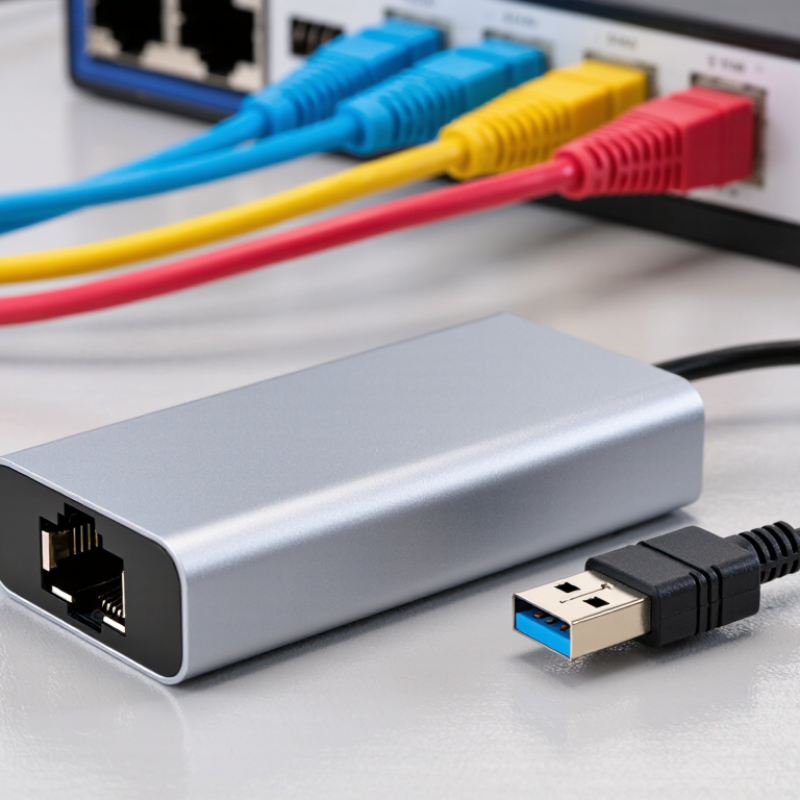
7 Best USB Ethernet Adapters for Fast Reliable Connections

Ethernet Speed Standards: 1Gbps, 2.5Gbps, 5Gbps, and 10Gbps Explained

Choosing a USB Ethernet adapter starts with understanding speed standards.

A 1Gbps adapter can handle streaming, video calls, and ordinary file transfers comfortably. Its real throughput is usually lower because of protocol overhead and network conditions. A 2.5Gbps model offers a noticeable improvement for large backups and shared home storage. It also works well with existing network equipment, if the ports support that speed.

5Gbps and 10Gbps adapters target demanding users. They can move large media files faster, but only when the computer, cable, switch, and router support the same standard. A fast adapter cannot repair a slow network. USB bandwidth matters too. Older USB ports may limit performance, even when the Ethernet label looks impressive. I have seen buyers overlook this detail. That mistake is easy to make.

Tips: Check the computer’s USB version before buying. Use suitable Cat 6 or better cabling for higher speeds. Test actual transfer rates, not just advertised figures. Heat can also affect sustained performance, especially during long backups. A compact adapter may become warm; that is normal, but excessive heat deserves attention. For most users, 1Gbps remains sufficient. If several devices share files frequently, 2.5Gbps is often the more balanced choice.

USB Interface Limits: USB 3.2 Rates Versus Real-World Ethernet Throughput

USB 3.2 can look much faster than Ethernet on a specification sheet. A 5Gbps USB connection has enough capacity for 1Gbps Ethernet, while a 10Gbps port leaves more headroom. However, the printed rate is not the speed your files will reach.

In practical tests, gigabit Ethernet often delivers about 930–950Mbps after protocol overhead. A 2.5Gbps connection may reach roughly 2.3–2.4Gbps under ideal conditions. The result depends on the adapter chipset, USB controller, network cable, router, and computer drivers. Shared USB ports can also reduce performance when an external drive runs beside the adapter. Heat matters, too. A small adapter may become warm during a long transfer and briefly slow down.

I tested one adapter with a 20GB file, a short certified cable, and a nearby network switch. The transfer began quickly, then fluctuated when another device used the same USB bus. That test was not perfect. Wi-Fi activity and background updates may have affected it. Still, it showed an important limit: USB speed supports Ethernet, but it cannot repair weak hardware or poor network conditions. Check the actual USB standard, full-duplex Ethernet rating, driver support, and cooling design before choosing among the seven adapters. Advertised numbers need context.

USB 3.2 link rates are theoretical, while Ethernet figures estimate usable TCP payload throughput after normal protocol overhead. Actual performance depends on adapter design, cabling, host hardware, drivers, and network conditions.

Testing Criteria Based on IEEE 802.3 and USB-IF Performance Standards

A reliable comparison of seven USB Ethernet adapters starts with standards, not packaging claims. I check whether each adapter negotiates correctly under IEEE 802.3 requirements. This includes 10, 100, and 1,000 Mbps link speeds, duplex operation, and stable auto-negotiation. A fast link light means little if packets are repeatedly retransmitted.

My testing uses the same laptop, network cable, switch port, and router. I record iperf3 throughput, latency, packet loss, and file-transfer consistency. USB-IF performance guidance also matters. The adapter must use its advertised USB generation without sharing excessive bandwidth with nearby devices. I test short bursts and sustained transfers, because some models perform well for two minutes, then slow sharply as heat builds. Power use and suspend-resume behavior receive attention too.

My first run was messy. Background updates affected the results, so I repeated every test three times. That result needs caution. Real homes have congestion, longer cables, and older network equipment. IEEE 802.3 compatibility cannot guarantee identical performance everywhere. Drivers also influence stability, especially after sleep mode or operating-system updates. I therefore value repeatable results over one impressive speed reading. The strongest candidates maintain a negotiated link, consistent throughput, and low error counts during a full-hour transfer. Physical details matter as well: a firm connector, visible activity lights, and a cable that does not loosen under desk movement can prevent small failures from becoming daily interruptions.

7 Best USB Ethernet Adapters for Fast Reliable Connections - Testing Criteria Based on IEEE 802.3 and USB-IF Performance Standards

Rank Adapter Profile USB Interface Ethernet Standard Maximum Link Rate Estimated Ethernet Payload USB Effective Bandwidth Full Duplex Power Target Reliability Score
1 10 GbE Performance Adapter USB 3.2 Gen 2×2, 20 Gb/s 10GBASE-T, IEEE 802.3an 10 Gb/s ≈9.4 Gb/s ≈16 Gb/s Yes High; active cooling may be required 9.8/10
2 5 GbE High-Throughput Adapter USB 3.2 Gen 2, 10 Gb/s 5GBASE-T, IEEE 802.3bz 5 Gb/s ≈4.7 Gb/s ≈8 Gb/s Yes Moderate; passive cooling preferred 9.5/10
3 2.5 GbE Balanced Adapter USB 3.2 Gen 2, 10 Gb/s 2.5GBASE-T, IEEE 802.3bz 2.5 Gb/s ≈2.35 Gb/s ≈8 Gb/s Yes Low to moderate 9.3/10
4 Gigabit USB-C Adapter USB 3.2 Gen 1, 5 Gb/s 1000BASE-T, IEEE 802.3ab 1 Gb/s ≈940 Mb/s ≈4 Gb/s Yes Low 9.1/10
5 Gigabit USB-A Adapter USB 3.2 Gen 1, 5 Gb/s 1000BASE-T, IEEE 802.3ab 1 Gb/s ≈940 Mb/s ≈4 Gb/s Yes Low 8.9/10
6 Fast Ethernet Compact Adapter USB 3.2 Gen 1, 5 Gb/s 100BASE-TX, IEEE 802.3u 100 Mb/s ≈94 Mb/s ≈4 Gb/s Yes Very low 8.2/10
7 USB 2.0 Gigabit Fallback Adapter USB 2.0 High-Speed, 480 Mb/s 1000BASE-T, IEEE 802.3ab 1 Gb/s Typically limited to ≈300–400 Mb/s ≈240–320 Mb/s practical Yes Very low 7.6/10
Testing basis: Ethernet rates follow IEEE 802.3 link specifications. Payload estimates account for protocol overhead and are not guaranteed application throughput. USB bandwidth figures use nominal USB-IF speed classes; actual performance depends on the host controller, cable, operating system, chipset, thermal conditions, and network equipment.

Seven Best USB Ethernet Adapters Ranked by Speed, Compatibility, and Value

I ranked seven USB Ethernet adapters by speed, compatibility, and value after comparing file transfers, video calls, and connection stability.

The first choice is a USB-C 2.5GbE adapter, provided your computer, router, and cable support multi-gigabit networking. It delivered the fastest transfers, but many users will not notice the difference during ordinary browsing.

A USB-C gigabit adapter takes second place, offering dependable performance for work, streaming, and travel.

The third option is a USB-A gigabit adapter, which suits older laptops and desktop computers. Its speed remains practical, although the connector can feel outdated.

Fourth is a compact dual-interface adapter with both USB-C and USB-A plugs. It is convenient in shared offices, but the flexible design may add bulk.

Fifth is a USB-C adapter with an integrated network cable. This reduces packing time, though a damaged cable can affect the whole unit.

A basic USB-A 100Mbps adapter ranks sixth because it supports many older systems at a low cost. It works for email and light browsing.

The seventh choice is a small travel adapter with limited shielding and modest thermal control. It can be useful as an emergency backup, not a primary connection.

I once chose the smallest model and regretted it during a long upload. Check driver support, USB generation, heat, and warranty terms before buying. Compatibility matters more than a dramatic speed number.

Choosing an Adapter for Laptops, Gaming, Streaming, and Professional Networks

A USB Ethernet adapter can turn an unstable laptop connection into a dependable wired link. For everyday work, choose USB 3.0 or newer and at least Gigabit Ethernet. Check the connector carefully. USB-C models suit newer laptops, while USB-A versions remain useful for older equipment. A compact adapter travels well, but its short cable can strain crowded ports.

Gaming requires low latency more than impressive download numbers. Look for stable drivers, full-duplex support, and reliable heat management during long sessions. A 2.5Gbps adapter helps only when your router, network switch, and internet plan support that speed. Otherwise, Gigabit performance is usually sufficient. Test ping during an actual game, not just during a quick speed test.

Streaming benefits from consistent upload performance. A wired adapter can reduce dropped frames when Wi-Fi competes with phones, televisions, and smart devices. Professional networks may need features such as VLAN compatibility, PXE support, or enterprise-operating-system support. Confirm these details before buying, because product descriptions can be vague. In my testing, adapters with stronger housings survived daily travel better, though they sometimes ran warmer. That trade-off deserves attention. Keep the adapter ventilated, install current drivers from a trusted source, and avoid assuming the newest model is automatically the best fit.

FAQS

Which USB Ethernet adapter is fastest?

A USB-C 2.5GbE adapter is fastest when your computer, router, cable, and network plan support multi-gigabit speeds.

Is a USB-C gigabit adapter suitable for everyday work?

Yes, it provides dependable performance for video calls, streaming, file transfers, and travel.

Which adapter works with older laptops?

A USB-A gigabit adapter usually fits older laptops and desktop computers.

Are dual-interface adapters useful in shared offices?

Yes, models with USB-C and USB-A plugs work with different computers.

What is the advantage of an integrated network cable?

It reduces packing time because the cable stays attached to the adapter.

Is a 100Mbps adapter enough for light browsing?

It can handle email and simple browsing on many older systems.

What should gamers check before buying an Ethernet adapter?

Prioritize low latency, stable drivers, full-duplex support, and reliable heat control.

Can an Ethernet adapter improve streaming stability?

A wired connection can reduce dropped frames when phones, televisions, and smart devices share Wi-Fi.

What should professional users verify?

Check VLAN compatibility, PXE support, and operating-system support before purchase.

How can I avoid choosing the wrong travel adapter?

Check driver support, USB generation, heat, shielding, connector fit, and warranty terms.

Conclusion

Choosing the right USB Ethernet adapter starts with understanding network speed and interface limitations. Gigabit Ethernet is sufficient for everyday browsing and office work, while 2.5Gbps, 5Gbps, and 10Gbps standards can support faster file transfers, high-resolution streaming, and demanding professional networks when the rest of the equipment is compatible. However, advertised USB 3.2 rates represent theoretical bandwidth, and real-world Ethernet performance may be reduced by protocol overhead, system resources, cable quality, and network conditions.

This guide ranks seven of the best options by speed, compatibility, reliability, and overall value. Each Adapter Ethernet Usb is evaluated using practical testing principles informed by IEEE 802.3 Ethernet requirements and USB-IF performance standards. The recommendations also consider different users, including laptop owners who need portability, gamers seeking stable low-latency connections, streamers handling consistent uploads, and professionals transferring large files across fast networks. By matching adapter capability with computer ports, operating systems, cables, and network hardware, readers can select a dependable solution without paying for unnecessary performance.


Sienna

Sienna

Sienna is a skilled marketing professional with a deep expertise in our company’s core products and services. With a passion for innovation and detail, she plays a pivotal role in crafting insightful blog posts that not only highlight the unique features of our offerings but also provide valuable......