Choosing the best Long Hd Cable supplier in China is not simply a matter of finding the lowest quote. Long cable runs can expose weaknesses in signal stability, shielding, connector fit, and manufacturing consistency. A dependable supplier should explain how its cable performs at the length you need, not just share a headline specification. Details matter.
This guide looks at practical ways to compare suppliers, from material choices and production controls to sample testing and after-sales support. Ask for evidence. Review datasheets, request samples, and confirm that stated performance applies to your intended setup. If the cable will run near power lines, bend around tight corners, or serve a demanding installation, describe those conditions before placing an order. A useful conversation can reveal more than a polished product page.
No single factory is automatically the best fit for every buyer. One may offer stronger customization, while another may provide clearer documentation or more responsive technical support. Some details can still be hard to verify from a distance; that deserves honest attention. By weighing measurable performance, communication, quality checks, and delivery terms, readers can build a shortlist with fewer assumptions and better questions. The goal is not a perfect promise, but a supplier whose claims can be checked and whose cable matches the real application.
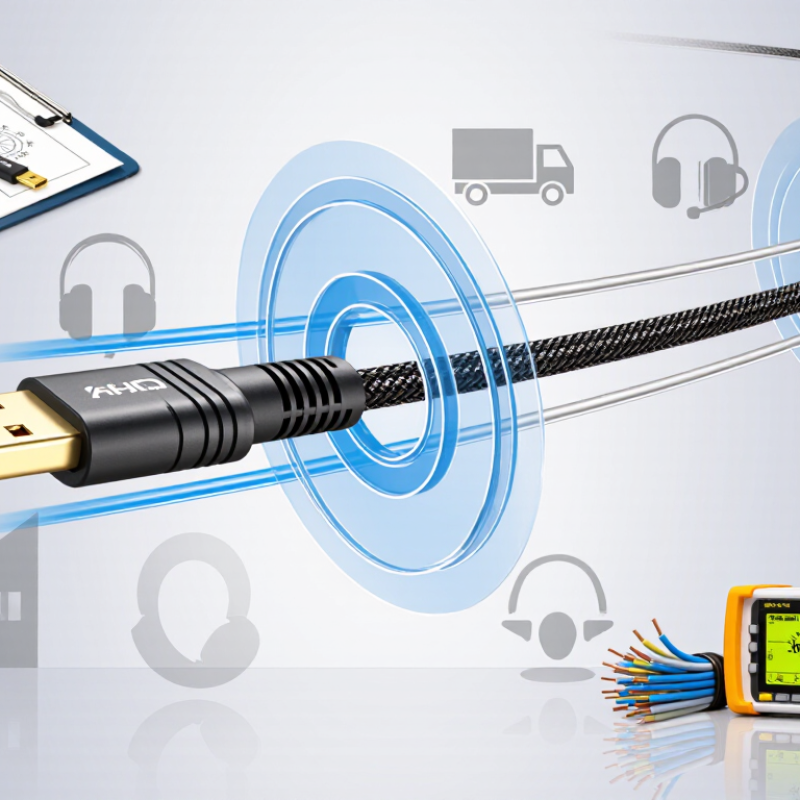
A long HD cable carries high-definition video and audio between devices separated by a substantial distance. Unlike a short patch cable, it must preserve a stable signal across a longer run. There is no universal length that guarantees performance. Results depend on the video format, data rate, cable construction, and connected equipment. Passive copper may suit moderate runs, while active copper or fiber designs can support longer routes. Distance matters. Some active cables are directional, so the source and display ends must be connected correctly.
Common applications include conference rooms, classrooms, control rooms, home theaters, and digital-signage installations. A cable might run from a wall-mounted display to equipment in a cabinet, or across a ceiling to a projector. Check that the cable supports the required resolution and refresh rate, and confirm compatibility with both devices. During installation, avoid tight bends and keep connectors accessible for testing. Test before sealing walls. A longer cable is not automatically a better choice; sometimes the real issue is a weak adapter or incompatible setting. I would verify the complete signal path before choosing a length.
When comparing suppliers, check the cable’s supported resolution, refresh rate, and maximum bandwidth at the exact length you need. A cable that works at a short distance may lose signal over a longer run. Ask for test results at the stated length, not just a general product datasheet. Numbers matter.
Review the construction, too. Copper and active optical cables behave differently, especially around signal loss, power requirements, and installation bends. Confirm connector type, shielding, minimum bend radius, and whether the cable needs external power. Ask how each batch is tested and whether the supplier can provide a sample for your own equipment. Test it in a real setup. A tidy specification sheet cannot prove every unit will perform consistently, and I would not treat one successful sample as a guarantee. Compare written tolerances, test methods, and support for handling faults before placing a large order. Some specifications may look impressive but matter little if they do not match your display, source device, and installation route.
When assessing a Chinese supplier of long HD cables, look beyond a polished catalogue. Ask how the cable performs across its full length, especially where signal loss may become noticeable. Request test records for attenuation, shielding, and connector fit. Details matter. A sample should match the cable you plan to order, including its length, jacket, and connector type.
Quality claims need evidence. Check whether inspection steps are documented, from incoming materials to finished-cable testing. Ask how defects are recorded and handled. A clear answer is useful; a vague promise is not. If possible, test a sample with the equipment and setup you actually use. One limitation: a single sample cannot prove that every production batch will perform identically.
Production capacity also deserves close attention. Ask about monthly output, lead times, and how the supplier manages large orders without changing materials or inspection standards. Review recent production records, and consider a factory visit or a live video walkthrough. Look for orderly workstations, labeled materials, and test equipment in use. I would not treat a polished sample as proof of consistent production; that judgment can be wrong. Ask what happens when demand rises or a component is delayed.
A reliable long HD cable supplier should provide certificates tied to the exact cable model, not just a general company profile. Check whether safety and environmental documents apply to the product and the destination market. CE, FCC, RoHS, or other marks may be relevant, but their scope varies. Ask for current reports, issuing laboratory details, and model numbers. Paper can wait.
Testing matters as much as paperwork. Request results for supported resolution and refresh rate at the stated cable length. For long runs, signal attenuation, bandwidth, and error performance can reveal weaknesses that a short desk test misses. Ask how the supplier checks connector fit, shielding, and repeated bending. Test the sample yourself.
A practical check uses your own display, source device, and the full cable length. Confirm stable picture and sound after several hours, then reconnect the cable and test again. If the product is active or fiber-based, verify any power or direction requirements. Request batch inspection records, too. Suppliers may not test every finished cable, so clarify the sampling rate and what happens when a unit fails. One detail is easy to overlook: test reports should describe the same construction and length you plan to order.
Nominal impedance targets differ by interface. Ask suppliers for test reports covering the actual cable type and claimed length.
How to use this chart: These are nominal interface impedance values, not a pass/fail score or a complete cable specification. For HDMI products, verify applicable HDMI compliance or certification evidence. For SDI coax, check compliance with the relevant SMPTE interface standard.
Also request length-specific signal-integrity results, such as attenuation and eye-diagram measurements where applicable, plus traceable test reports. Verify quality-system certificates and material-compliance documents separately; they do not by themselves prove cable performance.
Reference context: HDMI interface specifications and SMPTE SDI interface standards.
When comparing long HD cable suppliers in China, start with the actual installation conditions. Measure the full cable route, including bends, vertical runs, and spare length. Then confirm the required resolution, signal format, connector type, and device compatibility. A supplier should explain how cable length may affect signal stability, rather than simply promising that every cable works at any distance. Ask for clear specifications, production lead times, and written quality checks.
Tips: Request a sample matching your intended length and configuration. Test it with your own source and display, ideally at the highest resolution you need. Check connectors for a secure fit, and inspect the jacket for consistent thickness. Small details matter.
Compare suppliers on more than unit price. Ask how they test long cables, what inspection records they can provide, and how they handle defects or replacement requests. Confirm packaging, shipping estimates, and whether custom lengths affect the delivery schedule. A polished product sheet is useful, but it cannot replace a real test. No supplier is perfect. If answers are vague or keep changing, treat that as a practical warning. A simple comparison sheet can help: list each supplier’s specifications, sample results, communication speed, and total landed cost before choosing the best fit.
| Comparison Dimension | What to Compare | Evidence to Request | Why It Matters |
|---|---|---|---|
| Supported resolution and refresh rate | Confirm the exact video format, refresh rate, color format, and features required for your equipment. Check that the supplier specifies these alongside the cable length. | Product specification sheet and test results for the exact cable model and length. | Performance depends on the complete signal requirements and cable design; a general “HD” description alone is not enough to establish compatibility. |
| Maximum tested cable length | Compare the length you need with the supplier’s tested operating distance for your intended signal format. | Test report identifying the cable model, length, connected equipment or test setup, and signal format. | Longer runs can be more demanding, and results for one length or signal format do not automatically establish performance at another. |
| Cable technology | Identify whether the product is passive copper, active copper, or active optical cable (AOC). Check whether it has a required source/display orientation or external power requirement. | Product datasheet, installation instructions, and connector or direction markings. | Different designs have different installation, compatibility, and distance characteristics. Active and optical cables may have direction or power requirements. |
| Standards and compliance | Check which applicable specifications and regulatory requirements the supplier claims for the exact product and destination market. | Relevant test reports, declarations, or certificates that identify the product or model; verify their scope and validity. | Documents should relate to the product being purchased. A general certificate or a claim without traceable documentation may not verify the cable’s performance or compliance. |
| Connector and installation fit | Compare connector type, connector dimensions, bend space, cable flexibility, routing path, and any requirements for conduit or wall installation. | Dimensioned drawings, cable construction details, and installation guidance. | A cable that meets signal requirements may still be unsuitable if its connectors or construction do not fit the installation. |
| Compatibility and testing | Ask how the supplier checks compatibility with the source devices, displays, adapters, and switches used in your setup. | Written test procedure, sample evaluation, and results using comparable equipment or an agreed test setup. | Testing with a relevant setup can identify issues that a specification sheet alone may not reveal. |
| Quality control and traceability | Compare incoming-material checks, production inspections, final testing, batch identification, and handling of nonconforming products. | Quality-control plan, sample inspection records, and lot or batch traceability information. | Documented, repeatable checks help assess consistency between production batches. |
| Customization capability | Confirm available lengths, connector options, packaging, labeling, and any requested electrical or mechanical changes. | Written customization specification, sample approval process, and confirmation of which changes require new testing. | Custom changes can affect product fit or performance, so specifications and approvals should be clear before production. |
| Sample and pre-production approval | Compare sample availability, sample lead time, approval criteria, and whether the approved sample can be matched to mass production. | Sample, written acceptance checklist, and a process for retaining or identifying the approved reference sample. | Clear sample approval reduces ambiguity about the product expected in a larger order. |
| Order terms and production capacity | Compare minimum order quantity, quoted lead time, production capacity, payment terms, and how schedule changes are communicated. | Formal quotation and written order schedule stating product configuration, quantity, and delivery terms. | Written, specific terms make supplier offers easier to compare and help set realistic delivery expectations. |
| Warranty and after-sales support | Review warranty duration, covered issues, claim process, response time, and available technical support. | Written warranty terms and a documented procedure for troubleshooting, returns, or replacement. | Clear support terms help establish how defects and compatibility questions will be handled after delivery. |
| Export and shipping readiness | Confirm packaging, shipping options, export documentation, destination-specific requirements, and responsibility for freight and duties. | Sample shipping documents or a written list of the documents and delivery terms offered for the order. | Document and delivery requirements vary by destination and transaction terms; confirm them before placing an order. |
It carries high-definition video and audio across a longer distance. Performance depends on format, data rate, construction, and connected equipment. Distance matters.
They are used in conference rooms, classrooms, control rooms, home theaters, and signage systems. A cable may cross a ceiling to a projector. Plan access.
Match the length to the actual route, not an imagined shortcut. Check resolution, refresh rate, and device compatibility. Longer is not always better.
Passive copper may work for moderate distances. Active copper or fiber can support longer routes. Some active cables are directional, so connect source and display ends correctly.
Request samples matching the planned length, jacket, and connector type. Ask for attenuation, shielding, and connector-fit test records. A polished catalogue proves little.
Ask about monthly output, lead times, inspection steps, and defect handling. Review recent records or request a live factory walkthrough. Look for labeled materials and active test equipment. One sample can mislead.
Request documents linked to the exact cable model. Check product scope, destination-market relevance, report dates, laboratory details, and model numbers. General company paperwork is insufficient.
Use your actual source, display, and full cable length. Check stable picture and sound for several hours. Reconnect and test again. Test before sealing walls.
Avoid tight bends and inaccessible connectors. Confirm power and direction requirements for active or fiber-based cables. A weak adapter may cause the real problem. I would verify the entire signal path.
Choosing the best Long Hd Cable supplier in China starts with understanding the cable’s intended length, signal requirements, and application, such as connecting displays across meeting rooms, classrooms, or commercial spaces. Buyers should compare key specifications, including supported resolution and refresh rate, bandwidth, connector quality, shielding, and the supplier’s guidance on signal performance over longer distances.
A dependable supplier should demonstrate consistent production processes, suitable equipment, traceable quality controls, and the capacity to meet order volumes and customization needs. Before making a decision, verify relevant certifications and ask for clear testing evidence, such as checks for signal stability, durability, and compatibility. Compare suppliers by reviewing samples, technical documentation, communication, lead times, and after-sales support. The best fit is not simply the lowest-priced option, but the one that can reliably meet the project’s technical and delivery requirements.

Taitron Electronics